


社区 发现 服务&资源信息 店铺被关联,申诉怎么收费
店铺被关联,申诉怎么收费
发帖7次
被置顶1次
被推荐0次
质量分0星
回帖互动5次
历史交流热度2.9%
历史交流深度0%
店铺被关联,申诉怎么收费?
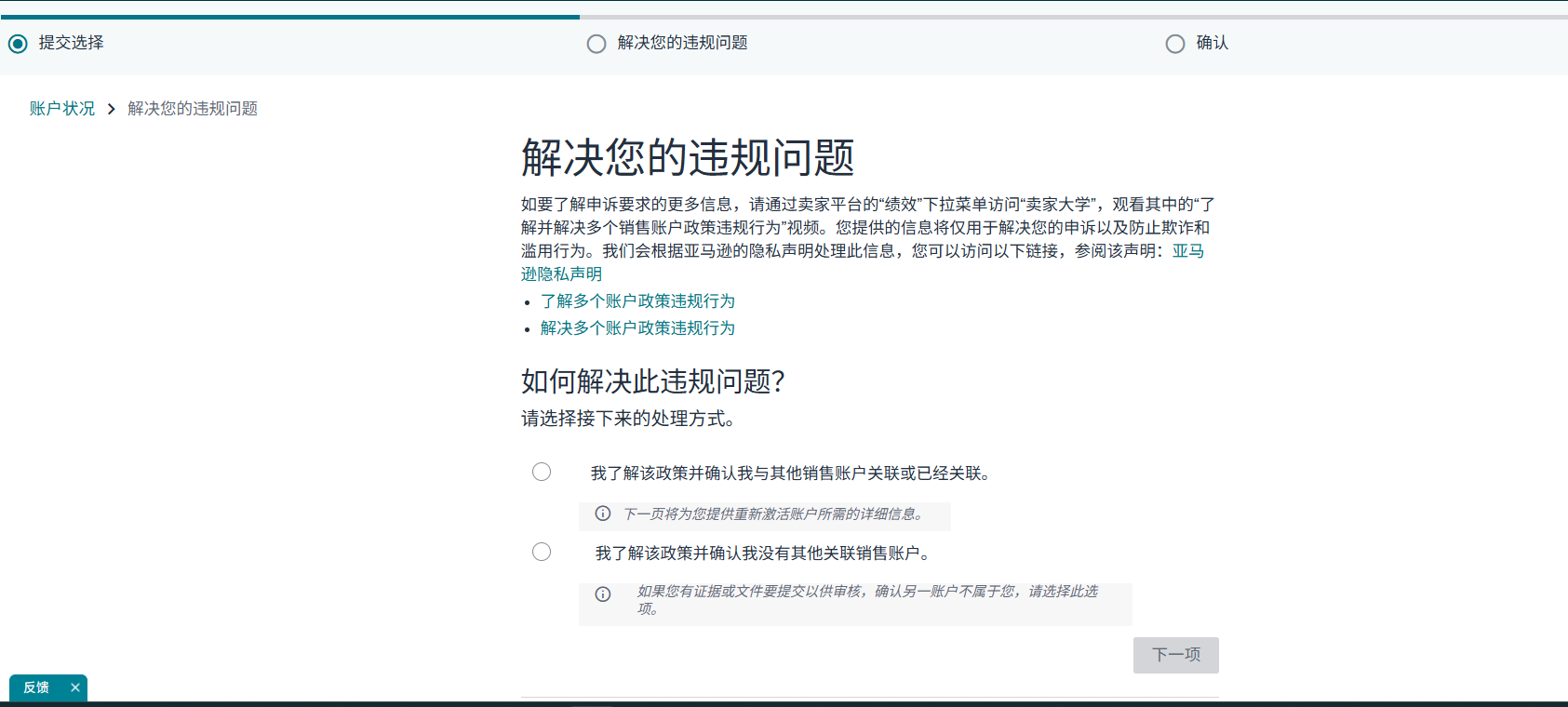
Hello Yaohuai ,
Your Amazon.com seller account has been deactivated and your listings have been removed due to violations of the Selling Policies and Seller Code of Conduct. Continue to ship open orders and respond to customer enquiries to avoid further impact to your account.
Funds will not be transferred to you, but will stay in your account while we work with you to address this issue in accordance with our Funds disbursement eligibility policy.
Why is this happening?
We are taking this action because your account is related to another Amazon account that is prohibited from selling. Multiple accounts operated by the same individual or business entity must comply with our account policies to protect customers. When one account is deactivated for policy violations, related accounts are also restricted until the underlying issues are resolved.
For more information, go to section 3 of our Business Solutions Agreement.
How do I reactivate my account?
Choose the path below that applies to you.
If you own the related account:
Reactivate all accounts that have been enforced for policy violations by submitting one appeal for each enforcement. Follow the instructions in the communication received for that account.
You can also appeal enforcements by signing into your primary Seller Central account and accessing your Performance Notifications for each region in which you operate an account. Submit an appeal for all accounts (except the account that is deactivated for a related account) by clicking the appeal button in the notification received for each account.
Once you have successfully reactivated that account, submit an appeal to reactivate the current account, by using this link: Performance Dashboard. Be prepared to provide the name of the account that was reactivated and the date of reactivation.
If you don't own the related account:
If you once owned the account or were a rights owner but no longer own it or no longer have account rights, submit an appeal here: Performance Dashboard. Provide supporting documentation to show that you no longer own it or no longer have any relationship to this account. Supporting documentation may include sales deed, purchase agreement, business transfer agreement, contract termination, etc.
If you have never owned a separate account and believe this de-activation was in error, submit an appeal here: Performance Dashboard. Confirm that this account does not belong to you. If we cannot substantiate the claim, your account will not be reinstated and this account will not be allowed to do business on Amazon in the future.
Has your account been deactivated in error?
If you believe there has been an error, submit an explanation through your Account Health page.
Your explanation should include:
Documentation proving you do not own or operate the related account.
Evidence showing no business relationship exists between your account and the prohibited account.
Proof that any perceived relationship is coincidental or erroneous.
What happens if I do not send the requested information?
If you don't take the actions above, your account will remain deactivated.
We’re here to help.
If you have questions about this policy, contact Selling Partner Support.
To view your account performance, go to the Account Health page in Seller Central which shows how well your account is performing against the performance metrics and policies required to sell on Amazon.
Regards,
Amazon Services
Hello Yaohuai ,
Your Amazon.com seller account has been deactivated and your listings have been removed due to violations of the Selling Policies and Seller Code of Conduct. Continue to ship open orders and respond to customer enquiries to avoid further impact to your account.
Funds will not be transferred to you, but will stay in your account while we work with you to address this issue in accordance with our Funds disbursement eligibility policy.
Why is this happening?
We are taking this action because your account is related to another Amazon account that is prohibited from selling. Multiple accounts operated by the same individual or business entity must comply with our account policies to protect customers. When one account is deactivated for policy violations, related accounts are also restricted until the underlying issues are resolved.
For more information, go to section 3 of our Business Solutions Agreement.
How do I reactivate my account?
Choose the path below that applies to you.
If you own the related account:
Reactivate all accounts that have been enforced for policy violations by submitting one appeal for each enforcement. Follow the instructions in the communication received for that account.
You can also appeal enforcements by signing into your primary Seller Central account and accessing your Performance Notifications for each region in which you operate an account. Submit an appeal for all accounts (except the account that is deactivated for a related account) by clicking the appeal button in the notification received for each account.
Once you have successfully reactivated that account, submit an appeal to reactivate the current account, by using this link: Performance Dashboard. Be prepared to provide the name of the account that was reactivated and the date of reactivation.
If you don't own the related account:
If you once owned the account or were a rights owner but no longer own it or no longer have account rights, submit an appeal here: Performance Dashboard. Provide supporting documentation to show that you no longer own it or no longer have any relationship to this account. Supporting documentation may include sales deed, purchase agreement, business transfer agreement, contract termination, etc.
If you have never owned a separate account and believe this de-activation was in error, submit an appeal here: Performance Dashboard. Confirm that this account does not belong to you. If we cannot substantiate the claim, your account will not be reinstated and this account will not be allowed to do business on Amazon in the future.
Has your account been deactivated in error?
If you believe there has been an error, submit an explanation through your Account Health page.
Your explanation should include:
Documentation proving you do not own or operate the related account.
Evidence showing no business relationship exists between your account and the prohibited account.
Proof that any perceived relationship is coincidental or erroneous.
What happens if I do not send the requested information?
If you don't take the actions above, your account will remain deactivated.
We’re here to help.
If you have questions about this policy, contact Selling Partner Support.
To view your account performance, go to the Account Health page in Seller Central which shows how well your account is performing against the performance metrics and policies required to sell on Amazon.
Regards,
Amazon Services





























 倒计时:
倒计时:








2 个回复